  1. Blog
  2. Article

Canonical
on 3 August 2017

Upgrading your Ubuntu-on-Windows install to the app version


Our team and Microsoft recently released Ubuntu as a Windows app store application! If you toyed with the “bash on Ubuntu on Windows” version before and would like to try the latest and greatest, read on!
Saving your data

If your “bash on ubuntu on windows” environment has some data you’d like to keep, make sure you back it up now. The uninstall process will nuke everything.

Uninstall the old way

This is relatively simple. Opening a command line (cmd.exe) terminal and typing

lxrun /uninstall

will destroy your previous environment.

Installing the new way

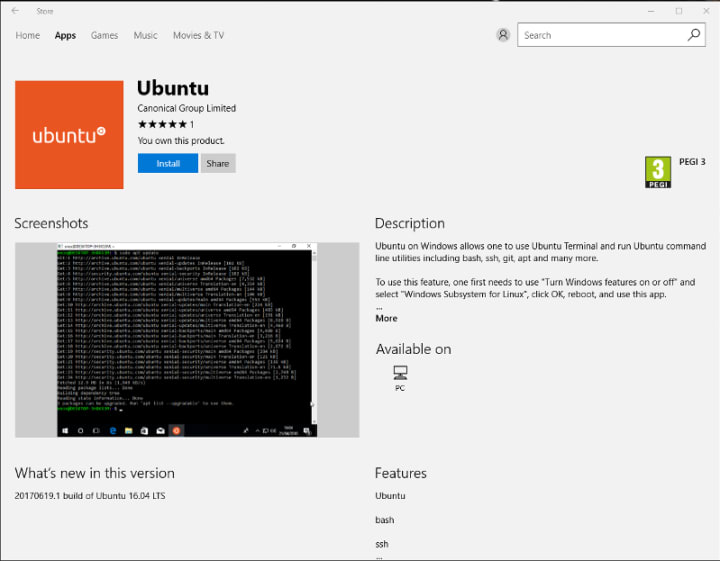
To find the app in the Microsoft store, just type “Ubuntu” in the search bar. Click install. Voilà!

Related posts


Yanisa Haley Scherber
17 February 2026

A year of documentation-driven development

Ubuntu Article

For many software teams, documentation is written after features are built and design decisions have already been made. When that happens, questions about how a feature is understood or used often don’t surface until much later.  A little over one year ago, our team began to recognize this pattern in our own work. Features generally ...


Henry Coggill
17 February 2026

Announcing FIPS 140-3 for Ubuntu Core22

Hardening Article

FIPS compliance for IoT use cases in Federal space. In this article, we’ll explore what Ubuntu Core is, and how to use it with FIPS. ...


Isobel Kate Maxwell
13 February 2026

The foundations of software: open source libraries and their maintainers

Community Article

Open source libraries are repositories of code that developers can use and, depending on the license, contribute to, modify, and redistribute. Open source libraries are usually developed on a platform like GitHub, and distributed using package registries like PyPI for Python and npm for JavaScript. These repositories contain pre-written, ...